
Data Download Guide
Business Finance Assistant is closing
Business Finance Assistant will close on 14 December 2026.
If you want to keep your information, you'll need to download it before the service closes. This guide explains how to download your Business Finance Assistant data, so you can keep a copy for your records.
You can export your Products and Services, Suppliers, Customers, Expense and Invoice data to Excel. You can also request a full archive of your accounting data as a backup.
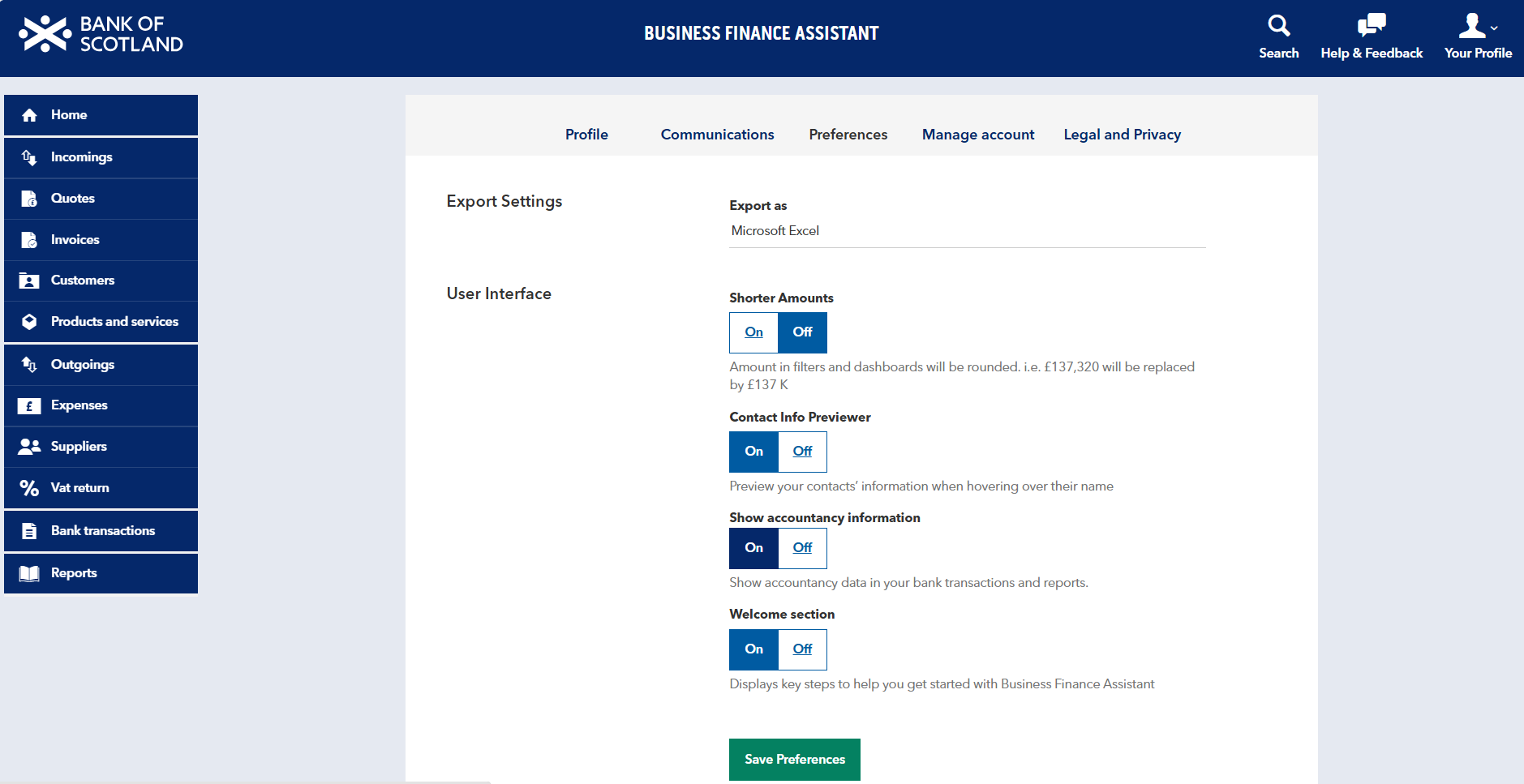
Before you start, check your Export Settings:
- Go to 'Your Profile' in the top-right corner of the screen.
- Select 'Preferences'.
- Under Export settings, choose 'Export as Microsoft Excel'.
- Select 'Save Preferences'.
Export individual files to Excel
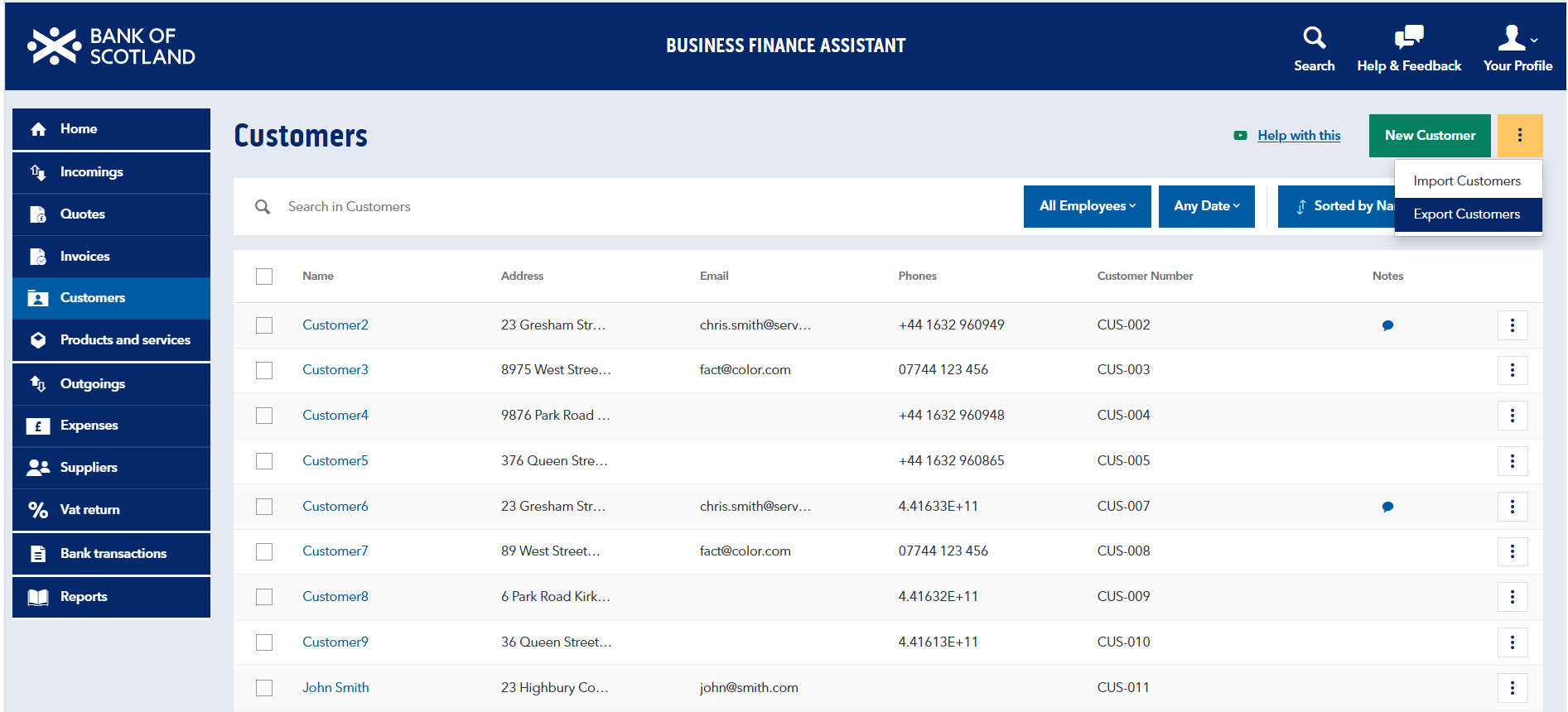
You can export data directly from the relevant page in Business Finance Assistant.
- From the left-hand menu, choose the data you'd like to export: either 'Invoices', 'Expenses,' 'Products & Services', 'Suppliers', 'Customers' or 'Journal Entries.'*
- Select the three dots in the top-right corner of the page, next to the green 'New' button.
- Select 'Export'.
- An Excel workbook with the selected data will download automatically.
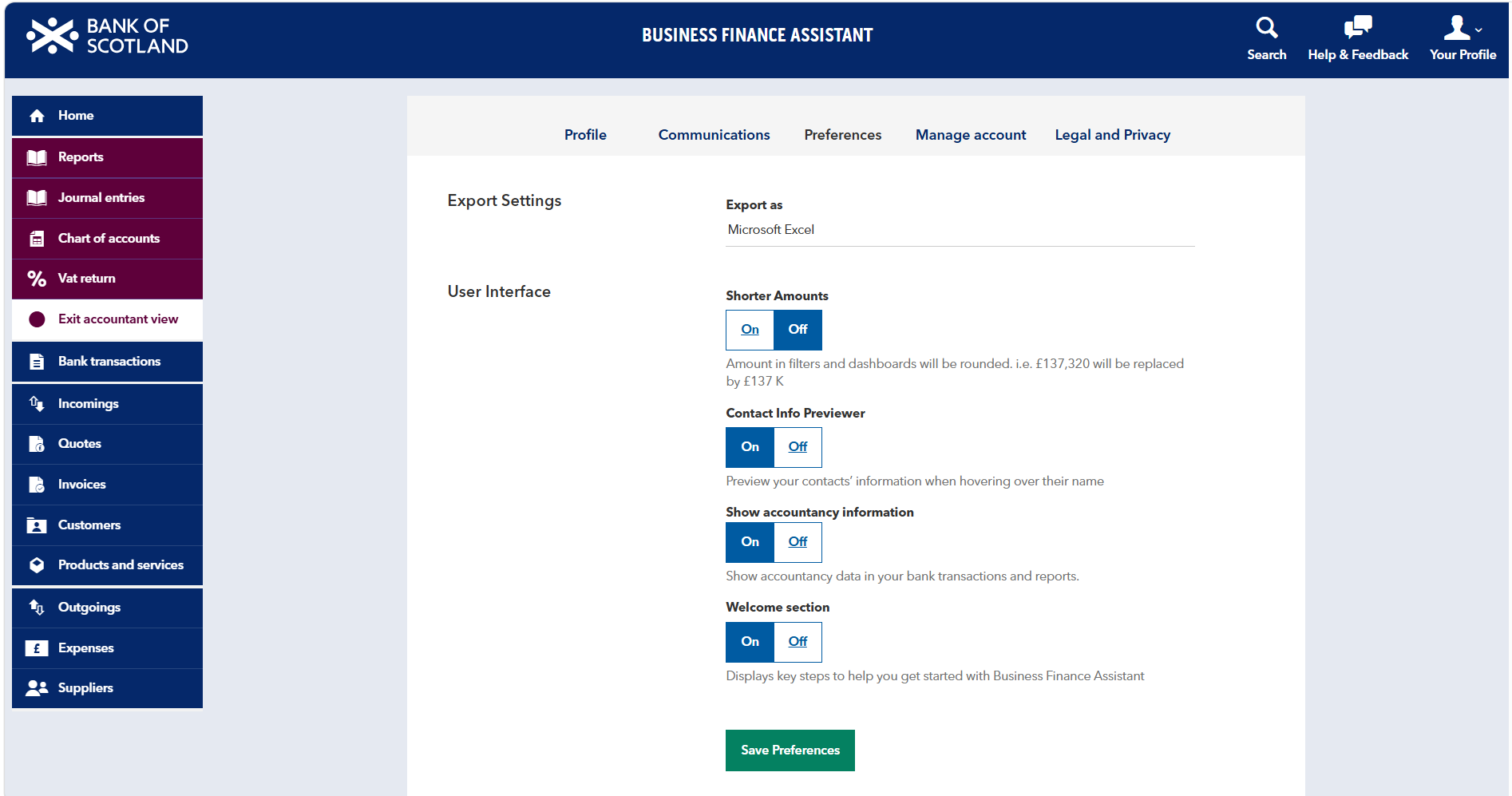
How to update your preferences:
* If Journal Entries is not shown in the left-hand menu, you’ll need to update your preferences to make it visible.
- Select 'Your Profile'.
- Select 'Preferences'.
- Turn on 'Show accountancy information'.
- Select 'Save Preferences'.
- Return to the left-hand menu and follow the export steps above.
Request a full archive of your accounting data
You can request a full archive if you want to download accounting data for a specific period, such as a date range or full financial year. You can request the archive from the date you opened your Business Finance Assistant account.
- Select 'Your Profile' in the top-right corner of the screen.
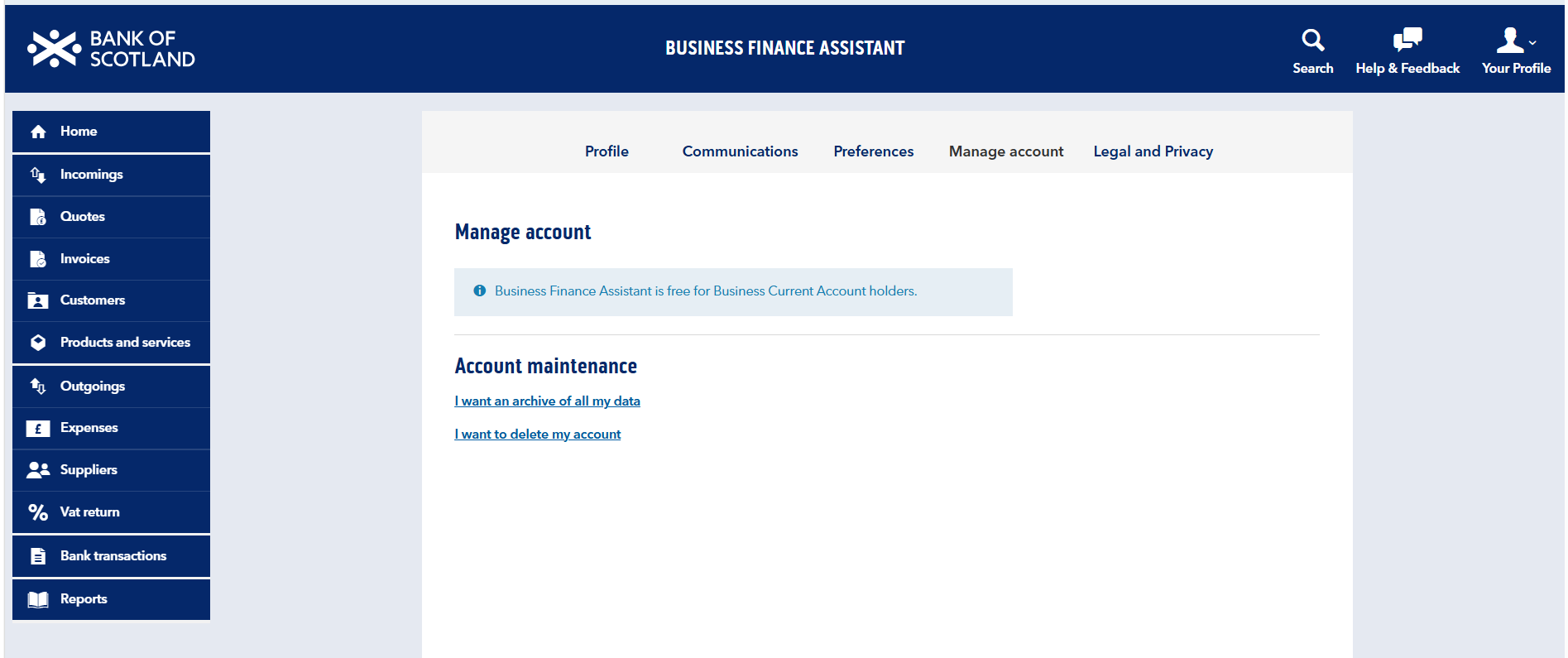
- Select 'Manage Account' from the drop-down menu.
- Select 'I want an archive of all my data'.
- Enter the 'Accounting Period' you want to download, such as a date range or full financial year.
- Select 'Request'.
You’ll receive a secure email from Business Finance Assistant when your accounting data is ready to download. Follow the link in the email to download your archived data.
If you're having difficulty downloading data from BFA, please contact the BFA Support Team at support@businessfinanceassistant.bankofscotland.co.uk.